Flostr's perspectives on WhatsApp automation

Our Most Recent Blog

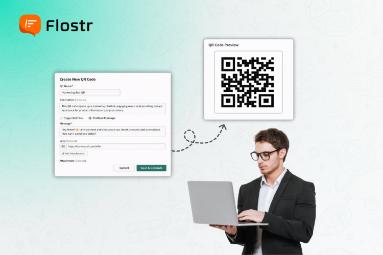
How to Generate WhatsApp QR Codes That Drive Conversions

Every business is looking for better methods to connect with customers. Instant messaging systems are replacing phone calls and emails as the primary means of communication. WhatsApp is the most popular among them, and the majority of businesses use it to connect with their audience directly. However, the biggest problem most brands encounter is how to initiate the conversation with the customers. That is where the WhatsApp QR code generator is introduced. Customers can instantly open a WhatsApp chat just with a simple scan without saving numbers, searching, or resistance. Such a basic functionality can help increase the engagement and conversions to a considerable extent. What Is a WhatsApp QR Code Generator? You can create a scannable code with a WhatsApp QR code generator that can be used directly to get to your WhatsApp Business chat . Once a person scans it with the phone camera, they can immediately be redirected to a filled-in WhatsApp message containing your business account. It is not only a convenience but a conversion tool. You will eliminate unnecessary processes and make it simpler to be connected, inquire, or place orders for potential customers. The sooner they can contact you, the more chances you will convert them. The ability to transform any marketing channel, either online or offline, into a direct communication point with a well-designed QR code and make a call-to-action a sensible choice makes your life easier. Why WhatsApp QR Codes Are Powerful for Conversions The ease and speed of the interaction process are critical in the process of making conversions. Customers want fast communication, and WhatsApp is currently a demanding application. QR codes ensure instant communication. That is why they are so popular with businesses: Instant Engagement: With a single scan, your customer can directly reach you and shorten the time gap between interest and interaction. Trust & Familiarity: WhatsApp is already an established platform of trust, so customers find it easier to communicate with the brands on this platform. Higher Conversion Rates: Direct chats imply fast replies, personalised proposals and faster decisions. Actionable Data: With WhatsApp Business analytics, you can measure performance and optimise your strategy. Concisely, each scan would be a conversion opportunity. How to Generate a WhatsApp QR Code That Converts Making a good QR code requires some planning, but creating one is simple. To ensure your WhatsApp QR codes truly provide results, stick to these easy measures. 1. Use a Reliable WhatsApp QR Code Generator Begin with the selection of a reliable WhatsApp QR code generator that allows customisation of the business. A professional tool lets you: Add your brand colours and logo. Make trackable dynamic QR codes. Integrate directly with your Business number in WhatsApp. Insert canned messages to engage faster. Select a platform that is analytics and customisable, such that your QR codes are in line with your marketing campaigns. 2. Add a Prefilled Message Ready-made messages provide context to a conversation and assist you in capturing intent on the spot. For example:“Hi! I would like to know about your product. Can you share more details?”It saves time for the customers and makes your team quick in responding with the relevant information. It is a little gesture that makes the process of communication smoother. 3. Place WhatsApp Buttons Strategically You can also integrate WhatsApp buttons on your site and landing pages, as well as on social media. Whereas QR codes can be used in offline/print media, WhatsApp buttons can be used to make digital visitors reach out to an organisation with a single button press. You can place these buttons: On your website’s contact or support page In email signatures On product listings or checkout pages Within digital ads or pop-ups Combining buttons and QR codes is an experience of an omnichannel where customers can interact anywhere. 4. Customise the QR Code Design Visual appeal matters. Make your QR code look more like your brand. Use matching colours, add your logo and a few words of call to action like Scan to Chat or Get Instant Support.Customers' willingness to scan QR codes increases when the QR codes appear professional and trustworthy. 5. Track Results Using WhatsApp Business Analytics As soon as your campaign is launched, monitor activity with the WhatsApp Business analytics . The insights can tell you: How many users scanned and messaged your business Which campaigns or QR placements perform best Response rates and conversion patterns This information assists you in determining what is performing and what needs to be improved. In the long run, you will be able to streamline your message, positioning, and graphic design to increase performance. Creative Ways to Use WhatsApp QR Codes The following are some of the practical and imaginative applications that may be applied to maximise your WhatsApp QR code generator: On Product Packaging: Customers can scan the code to get support or claim the special offers. In Stores or Events: Customers can get in touch with your team instantly by displaying QR codes on banners or desks. In Digital Ads: Add QR codes to Facebook, Instagram, or Google Ads to enable immediate response by mobile users. On Printed Materials: Incorporate them in brochures, flyers or business cards so that they can be followed up easily. In Feedback Campaigns: Get Instant Reviews and Suggestions on WhatsApp with QR code. Such minor details would facilitate the conversion of casual contacts into meaningful customer relationships. The Power of Simplicity in Customer Engagement The simplicity of the WhatsApp QR code generator is what makes it so beautiful. It makes the customer journey - between curiosity and conversation - even shorter in one scan. It implies that business owners get to lose fewer opportunities and have more meaningful interactions. You May Also Like:  Why Choose WhatsApp Automation Software for Business Messaging The combination of WhatsApp QR codes, WhatsApp buttons, and WhatsApp Business analytics allows you to see the customer behaviour in full. Each scan is a quantifiable activity, which assists in optimising campaigns and increasing ROI. Final Thought A WhatsApp QR code generator is not only a digital shortcut but also a conversion bridge in the modern world between your business and your customers. With a smart tool, such as Flostr, it transforms the interest into immediate action. Flostr goes a step further to include WhatsApp buttons, WhatsApp business analytics, and smart automation on the same interface. You do not simply make QR codes; you monitor performance, customise chats, and make your whole team more efficient in terms of responses. All the scans are quantifiable, all messages are informational, and all chats are conversational points of conversion.As an owner of a business, if you want to streamline the communication process and secure more deals using WhatsApp, it's time to switch to Flostr . Create smarter QR campaigns, analyse customer interactions in real-time, and your conversions will increase, with minimal effort. FAQs1. How do I create a WhatsApp QR code? Any online WhatsApp QR code generator can be used to make one with the linking of your business number. 2. Can WhatsApp QR codes help increase sales conversions? Yes, they simplify customer relationships and increase the engagement and conversion rates. 3. What’s the purpose of a WhatsApp button on websites? A WhatsApp button allows visitors to initiate instant chats on your site without having to save numbers. 4. How can I track my WhatsApp QR code performance? Measure WhatsApp Business analytics to scan, chat response, and customer engagement measurements. 5. Are WhatsApp QR codes safe to use for businesses? Yes, they are safe and have a direct connection to verified WhatsApp Business accounts, which makes the communication with customers safe.

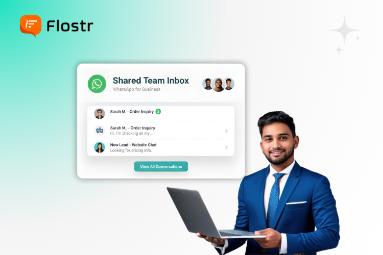
Why Businesses are Switching to a WhatsApp Shared Inbox for Teams

WhatsApp is currently the most widely used application in business because it allows most businesses to communicate directly and quickly with their clients. However, things become messy when each employee has their own WhatsApp account. No one knows who replied to whom, messages are lost, and customers wait longer to get a response. For this reason, the majority of growing businesses are switching to a WhatsApp team shared inbox , which is one place where all of the discussions are tracked, managed, and viewed. Here is the detailed discussion about why having separate accounts actually costs your company more money and effort than you would think, and how a shared inbox can help. Why Separate WhatsApp Accounts Create Problems Initially, it seems easy to assign every team member a separate number in WhatsApp. Each of them can communicate directly with customers and reply to their messages on phones. But soon, problems appear. Nowadays, messages are dispersed across devices, making it challenging for managers to understand what is going on. Customers ask the same of another agent. And when one is off duty, they will not get any response to their chats. This leads to: Missed replies: Important messages fall through the cracks. Inconsistent tone: Each person responds in a different style. No clear tracking: Managers can’t measure team performance. Simply put, you are not working smarter in your team; you are working harder. The Hidden Costs You Might Not Notice The pricing of having more than one WhatsApp account is not only about confusion. It has an insidious impact on your brand image, sales and customer satisfaction. a. Lost Brand Consistency As every employee talks uniquely, your brand voice varies with every customer. Over time, this damages trust. An inbox is shared so that your tone and templates are the same. b. Missed Leads and Slow Responses If a message gets missed by one individual, the client can contact someone else or not at all. WhatsApp shared inbox for teams ensures that all the messages are read and responded to within a short time, even when a single agent is away. c. No Data or Insights Using individual accounts, you cannot realise the number of conversations you receive, the speed of your team's response, or the satisfaction of the customer. However, using WhatsApp business analytics , you can see it clearly and improve it on the basis of actual data. d. Data and Privacy Risks It is dangerous when customer chat is saved on personal phones. When one of your employees leaves, you lose your customer history. Everything is safe in a single system that is controlled by your business. You May Also Like:  How to Manage Multiple Projects on the WhatsApp Multiple Workspaces Platform Why a Shared WhatsApp Inbox Changes Everything A team-based WhatsApp shared inbox is a control room for all customer conversations. All incoming messages are directed to a single place, where the appropriate team member retrieves them immediately. Here is why it works better: a. One WhatsApp Number for All Your customers never call multiple numbers (personal) on WhatsApp, but only one official number. It brings trust and renders your brand more professional. b. Smooth Team Collaboration In case a person initiates a discussion, one can resume the conversation with another person later. Teamwork is easy and efficient because of notes and message tagging. c. Smarter Decisions with Analytics The shared inbox can be used to view the performance of your team when linked to WhatsApp business analytics, including the speed of responding, the questions that customers most frequently ask, and the times of the day when the chat is the most active. d. Always Available, Always Active You also have the advantage of having a common inbox that someone in your team can constantly respond to; no longer do you have to rely on someone to be online as a prerequisite to respond. WhatsApp broadcast messages are also useful when you need to send updates or offers, and the interaction with a customer does not require a full conversation. How Platforms Like Flostr Make It Easy It does not need to be difficult to manage lots of WhatsApp chats. It is easy to transfer the accounts to a common space using Flostr . With Flostr, you can: Assign messages to the right person automatically. Keep a complete history of all customer chats. Send WhatsApp broadcast messages to share news or offers in seconds. All teams collaborate in a single dashboard, whether it is sales, support or marketing. It implies quicker response time, enhanced collaboration, and satisfied customers. The Real Business Impact on Communication A shared inbox not only makes your conversations look better, but it also transforms the way your business communicates. This is what occurs when all works off of a single system: Faster replies: Customers get answers instantly. Better teamwork: No more duplicate replies or missed chats. Clear reports: You know what’s working and what’s not. In the long run, this will enhance customer satisfaction, increase productivity and allow you to make better business decisions based on data and not guesses. Switching to a Shared Inbox Is Simple The transition between individual WhatsApp accounts to a shared inbox is not as difficult as it may seem. In Flostr, it only takes a couple of minutes to set up. Here’s how it works: Integrate your WhatsApp Business API. Add your team members. Begin handling all the customer conversations collectively. On the first day itself, you will notice that there will be fewer missed messages, be able to respond quicker, and see all conversations clearly - in a single place. Final Thoughts Although using many WhatsApp accounts for business communication may seem feasible, there are hidden expenses, such as missed messages, inconsistent service, and wasted time.An organisational shared inbox on WhatsApp can remedy all that. It unites your chats, team, and analytics — with control, visibility, and a superior customer experience. In case your company continues to work on several WhatsApp accounts, it is time to streamline. Get a shared inbox and make your team communicate quicker, safer and smarter. Frequently Asked Questions 1. What is a WhatsApp shared inbox for teams? A shared inbox on WhatsApp enables two or more members of the team to share customer conversations using the same business account. 2. How does a WhatsApp shared inbox help businesses? It enhances teamwork, minimises messages being missed and offers quicker and more uniform responses to customer inquiries. 3. Can multiple employees reply using one WhatsApp number? Yes, you can share an inbox where a number of employees can respond using one verified business number. 4. Is a WhatsApp shared inbox safe for business communication? Oh yes, it keeps everything in a single system, keeping the data leakages and privacy issues at bay. 5. How can I set up a WhatsApp shared inbox for my team? It is quite simple to build one on such platforms as Flostr that integrate with the WhatsApp Business API.

How WhatsApp Chatbot for Business Keeps Customers Engaged 24/7

Manually sending the same message to several clients might be difficult. With just one click, you can easily share announcements or promotions with everyone using WhatsApp Broadcast Messages . WhatsApp broadcast messages are unique in that traditional emails are frequently ignored, and SMS is uninteresting. They enable companies to preserve the human touch that fosters loyalty and trust while instantaneously connecting with thousands of customers. Using the WhatsApp Broadcast Software, it is easy to send out messages in large quantities. You can make campaigns, select audiences, and then monitor performance, and all you can do is through a single easy-to-use dashboard. Using pre-made templates will save time by giving each message a polished appearance that will encourage real communication. Why Businesses Struggle to Reach Customers on WhatsApp Many businesses struggle to maintain consistent contact with a growing client. Manual delivery of any message is not only time-consuming but constrained in scope as well as untraceable.The following are some of the catches to which the business owners are exposed: Low visibility: It is difficult to know the number of messages sent or opened without analytics. Inconsistent communication: The members of the team do not deliver messages in a similar manner. Time-consuming process: A one-on-one process of sending updates, promotions, or alerts holds back the marketing effect. Lack of collaboration: Customers might receive a slow or contradictory response when different workers attend to their chats individually. This is what Flostr comes in, and it is the automation of business communication through WhatsApp, the organisation and the improvement. You May Also Like: Why Choose WhatsApp Automation Software for Business Messaging How WhatsApp Broadcast Messages Simplify Business Communication Flostr is the application that helps businesses send out bulk messages in a single click through WhatsApp broadcast messages . You can send messages to thousands of people instantaneously and at the same time make them personalised, whether you are informing about a sale, reminding customers of an appointment or promoting a product. With pre-made templates, Flostr takes care of the message structure for you. You have a choice of ready templates or create your own, whereby all the messages comply and remain consistent.Example templates you can use: Promotional Template: “Hi [Name], enjoy 25% off on all items this weekend! Tap here to explore: [link].”Reminder Template: “Hi [Name], your order will be delivered today between [Time Slot]. Thank you for shopping with us!”Follow-Up Template: “Hi [Name], we noticed you haven’t completed your purchase. Click here to finish it: [link].”These templates can be used to remain professional and make your broadcasts appear professional. Together with WhatsApp Business analytics , you will be able to monitor delivery rate, responses and engagement rates immediately - having full control over your messaging strategy. Step-by-Step: Sending WhatsApp Broadcast Messages Using Templates Using Flostr, a WhatsApp broadcast campaign can be initiated in a short time and easily. The following are the steps in which you can send your first campaign in a few steps: 1. Create Your Campaign Begin by giving a name to the campaign and choosing a pre-approved WhatsApp message template. Personalise it with detailed information such as the name of the customer, a discount code, or the date of delivery. 2. Choose Your Audience Add or pick your address book right on the dashboard. You can screen audiences by the city, region or custom tags to target audiences. 3. Schedule Your Broadcast Immediately relay your broadcast or arrange it at the most opportune time. Flostr can even attempt failed deliveries automatically so that it can reach as many people as possible. 4. Launch and Track Results One click makes your campaign live. Real-time analytics allow tracking message deliveries, opens, clicks, and replies instantly. 5. Retarget Your Audience Re-attack those customers who did not reply initially. Make follow-up broadcasts with better offers or updates to maximise conversion.This stream flow process makes sure that all the messages matter to the right people, at the right time, and with the right message. Key Benefits of Sending WhatsApp Broadcast Messages with Templates 1. Faster, Scalable Communication Through Flostr, companies can use WhatsApp broadcast to send thousands of WhatsApp messages in seconds. No longer manual delivery, instant contact with customers anywhere. 2. Personalised Messaging at Scale Personalisation is easy when there is a template. Every message is personal, intimate and yet automated, boosting the rate of response and interaction up to 50%. 3. Real-Time Insights with WhatsApp Business Analytics Deliveries, views and responses are directly shown on the dashboard of Flostr. Analytics will make you realise what is working and optimise your campaigns to achieve better results. 4. Seamless Team Collaboration Having a WhatsApp shared team inbox, a group of team members can deal with customer feedback collectively. No mails, no misunderstandings, just fast and synchronised responses. 5. Schedule and Automate with Ease Scheduling your broadcasts at a particular time will be in line with the activity pattern of the customer. Planned messages are also known to increase responses by almost 30%. 6. Retargeting Made Simple Track non-respondents and make customised follow-ups. The retargeting option of Flostr will not allow a lead to slip through the cracks. 7. Cost-Effective Customer Engagement WhatsApp broadcasting is much cheaper than other channels. You can achieve quicker interaction and quantifiable outcomes at a reduced price. You May Also Like: How to Maximise Campaign Impact with WhatsApp Broadcast Messages Final Thoughts With the increasing competition and shortening attention spans, the world is getting smarter, and thus, a business requires a smarter way to stay connected. WhatsApp broadcast messages provide the ideal automation ratio to assist brands in connecting with their customers in real-time, without abandoning the human touch. When using Flostr, it becomes a manageable process. It is all in one place, as it is possible to create the campaigns based on customisable templates and the opportunity to monitor real-time performance with the help of the WhatsApp Business analytics. Also, your team will always remain on track with the WhatsApp shared team inbox, so that each customer can always have a timely and correct response. In case you need to achieve quicker communication, increased interaction, and reach conversion, Flostr broadcast solution is the ultimate business solution.Are you ready to expand your business through smarter communication? Create a Flostr account and make bulk WhatsApp broadcasting easier.Turn clicks into customers — using Flostr. FAQs 1. What are WhatsApp broadcast messages? They enable businesses to address several recipients individually with the same message- perfect for acts of promotion, reminder and updates. 2. Can I send broadcasts to unlimited contacts? Yes, Flostr allows you to communicate with thousands of contacts in a single click with the WhatsApp Broadcast Software. 3. How do templates help in broadcast campaigns? Ready-to-use templates save time, are professional, and ensure that all messages are written in the brand tone and WhatsApp policy. 4. What insights can I get from WhatsApp Business analytics? To measure campaign performance, you can check the delivery of the messages, the rates of opening the messages and the response of customers. 5. How does the WhatsApp shared team inbox help? It enables your organisation to respond to your customers in a single location, thus being able to respond faster and in a more coordinated manner.

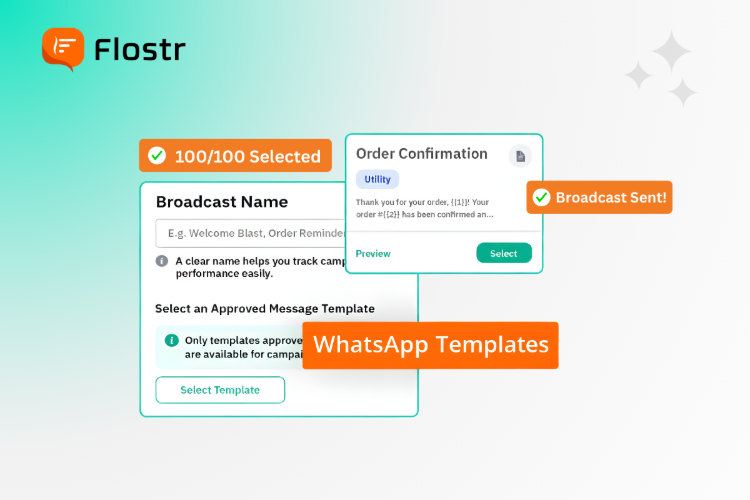
How to Easily Send WhatsApp Broadcasts Using Pre-Made Templates

Manually sending the same message to several clients might be difficult. With just one click, you can easily share announcements or promotions with everyone using WhatsApp Broadcast Messages. WhatsApp broadcast messages are unique in that traditional emails are frequently ignored, and SMS is uninteresting. They enable companies to preserve the human touch that fosters loyalty and trust while instantaneously connecting with thousands of customers. Using the WhatsApp Broadcast Software, it is easy to send out messages in large quantities. You can make campaigns, select audiences, and then monitor performance, and all you can do is through a single easy-to-use dashboard. Using pre-made templates will save time by giving each message a polished appearance that will encourage real communication. Why Businesses Struggle to Reach Customers on WhatsApp Many businesses struggle to maintain consistent contact with a growing client. Manual delivery of any message is not only time-consuming but constrained in scope as well as untraceable.The following are some of the catches to which the business owners are exposed: Low visibility: It is difficult to know the number of messages sent or opened without analytics. Inconsistent communication: The members of the team do not deliver messages in a similar manner. Time-consuming process: A one-on-one process of sending updates, promotions, or alerts holds back the marketing effect. Lack of collaboration: Customers might receive a slow or contradictory response when different workers attend to their chats individually.This is what Flostr comes in, and it is the automation of business communication through WhatsApp, the organisation and the improvement. You May also Like:  How to Maximise Campaign Impact with WhatsApp Broadcast Messages How WhatsApp Broadcast Messages Simplify Business Communication Flostr is the application that helps businesses send out bulk messages in a single click through WhatsApp broadcast messages. You can send messages to thousands of people instantaneously and at the same time make them personalised, whether you are informing about a sale, reminding customers of an appointment or promoting a product. With pre-made templates, Flostr takes care of the message structure for you. You have a choice of ready templates or create your own, whereby all the messages comply and remain consistent.Example templates you can use: Promotional Template: “Hi [Name], enjoy 25% off on all items this weekend! Tap here to explore: [link].” Reminder Template: “Hi [Name], your order will be delivered today between [Time Slot]. Thank you for shopping with us!” Follow-Up Template: “Hi [Name], we noticed you haven’t completed your purchase. Click here to finish it: [link].” These templates can be used to remain professional and make your broadcasts appear professional. Together with WhatsApp Business analytics , you will be able to monitor delivery rate, responses and engagement rates immediately - having full control over your messaging strategy. Step-by-Step: Sending WhatsApp Broadcast Messages Using Templates Using Flostr, a WhatsApp broadcast campaign can be initiated in a short time and easily. The following are the steps in which you can send your first campaign in a few steps: 1. Create Your Campaign Begin by giving a name to the campaign and choosing a pre-approved WhatsApp message template. Personalise it with detailed information such as the name of the customer, a discount code, or the date of delivery. 2. Choose Your Audience Add or pick your address book right on the dashboard. You can screen audiences by the city, region or custom tags to target audiences. 3. Schedule Your Broadcast Immediately relay your broadcast or arrange it at the most opportune time. Flostr can even attempt failed deliveries automatically so that it can reach as many people as possible. 4. Launch and Track Results One click makes your campaign live. Real-time analytics allow tracking message deliveries, opens, clicks, and replies instantly. 5. Retarget Your Audience Re-attack those customers who did not reply initially. Make follow-up broadcasts with better offers or updates to maximise conversion.This stream flow process makes sure that all the messages matter to the right people, at the right time, and with the right message. Key Benefits of Sending WhatsApp Broadcast Messages with Templates 1. Faster, Scalable Communication Through Flostr, companies can use WhatsApp broadcast to send thousands of WhatsApp messages in seconds. No longer manual delivery, instant contact with customers anywhere. 2. Personalised Messaging at Scale Personalisation is easy when there is a template. Every message is personal, intimate and yet automated, boosting the rate of response and interaction up to 50%. 3. Real-Time Insights with WhatsApp Business Analytics Deliveries, views and responses are directly shown on the dashboard of Flostr . Analytics will make you realise what is working and optimise your campaigns to achieve better results. 4. Seamless Team Collaboration Having a WhatsApp shared team inbox, a group of team members can deal with customer feedback collectively. No mails, no misunderstandings, just fast and synchronised responses. 5. Schedule and Automate with Ease Scheduling your broadcasts at a particular time will be in line with the activity pattern of the customer. Planned messages are also known to increase responses by almost 30%. 6. Retargeting Made Simple Track non-respondents and make customised follow-ups. The retargeting option of Flostr will not allow a lead to slip through the cracks. 7. Cost-Effective Customer Engagement WhatsApp broadcasting is much cheaper than other channels. You can achieve quicker interaction and quantifiable outcomes at a reduced price. Final Thoughts With the increasing competition and shortening attention spans, the world is getting smarter, and thus, a business requires a smarter way to stay connected. WhatsApp broadcast messages provide the ideal automation ratio to assist brands in connecting with their customers in real-time, without abandoning the human touch. When using Flostr, it becomes a manageable process. It is all in one place, as it is possible to create the campaigns based on customisable templates and the opportunity to monitor real-time performance with the help of the WhatsApp Business analytics. Also, your team will always remain on track with the WhatsApp shared team inbox , so that each customer can always have a timely and correct response. In case you need to achieve quicker communication, increased interaction, and reach conversion, Flostr broadcast solution is the ultimate business solution.Are you ready to expand your business through smarter communication? Create a Flostr account and make bulk WhatsApp broadcasting easier. Turn clicks into customers — using Flostr. FAQs 1. What are WhatsApp broadcast messages? They enable businesses to address several recipients individually with the same message- perfect for acts of promotion, reminder and updates. 2. Can I send broadcasts to unlimited contacts? Yes, Flostr allows you to communicate with thousands of contacts in a single click with the WhatsApp Broadcast Software. 3. How do templates help in broadcast campaigns? Ready-to-use templates save time, are professional, and ensure that all messages are written in the brand tone and WhatsApp policy. 4. What insights can I get from WhatsApp Business analytics? To measure campaign performance, you can check the delivery of the messages, the rates of opening the messages and the response of customers. 5. How does the WhatsApp shared team inbox help? It enables your organisation to respond to your customers in a single location, thus being able to respond faster and in a more coordinated manner.
Explore All of Our Blogs

Looking to Supercharge your WhatsApp Marketing Strategy?

Manage Every Chat Seamlessly With Flostr's WhatsApp AI

Empower your team to collaborate, respond, and close conversations efficiently.